


Your favorite moment, glowing on the tree.
A round ornament with a small screen behind a glass dome. It plays your own videos and photos, with sound: a first laugh, a wedding dance, the grandkids waving hello.
- Plays your videos and photos, with sound
- Loads from your computer over USB-C
- Rechargeable, no batteries to buy
Tracked shipping · Secure checkout
Pick the video they’d watch
a hundred times.
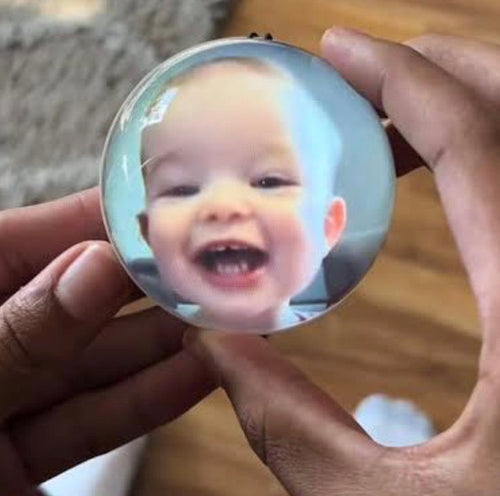
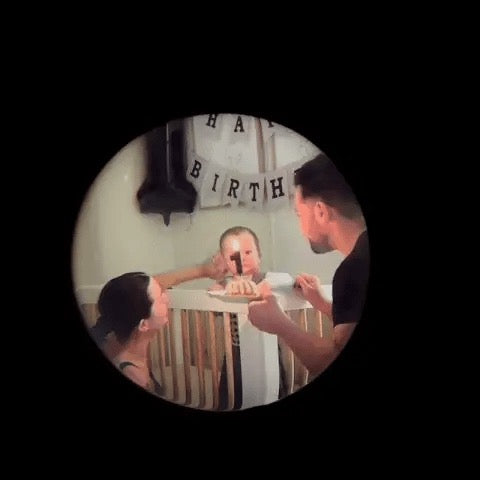
Swap the video whenever you like. The orb keeps playing the one you put on it.
From your computer to the tree in four steps.
- Connect the orb
Plug it into your computer with the USB-C cable in the box.
- Wait a moment
It shows up on your computer like a small USB drive.
- Make the video square
Set your video to 480 × 480 pixels so it fills the round screen.
- Drop it in
Drag the video into the orb’s folder, unplug, and hang it on the tree.
You need a computer to load the video. After that the orb plays on its own.
Small enough for a branch.
- ScreenRound, behind a clear glass dome
- Storage4 GB built in*
- Video size480 × 480 pixels
- SoundBuilt-in speaker*
- ControlsButton on the back: next, volume, pause*
- PowerRechargeable over USB-C, about 2–4 hours*
- MaterialGlass dome, ABS shell*
- ColoursWhite · Black
- In the boxOrb, ribbon loop, USB-C cable
* Manufacturer information.
Good to know
How do I put my video on it?
Connect the orb to a computer with the USB-C cable. It opens like a small USB drive. Make your video square (480 × 480 pixels) and drag it into the orb’s folder.
Does it play sound?
Yes. A small speaker is built in, so your videos play with sound. You can turn the volume up or down with the button on the back.
Can it show photos too?
Yes. Put videos, photos or both on it, and switch between them with the button on the back.
Can I change the video later?
Yes. Connect it again, delete the old file and drop in a new one. A new video every Christmas works just as well.
Do I need a computer?
Yes, to load the video. Once the video is on it, the orb plays it on its own.
Does it need batteries?
No. It has a built-in rechargeable battery (about 2–4 hours per charge, manufacturer information) and charges with the included USB-C cable.
Is it a good gift?
It is made to be one. Load a family video before you wrap it, so it is ready the moment they unpack it.
When will it arrive?
You see the delivery options for your country at checkout.You get a tracking link by email once it ships.
What if something is wrong with it?
Write to us with your order number and a photo, and we will sort it out. Details are in our refund policy.
This Christmas, hang up their favorite moment.
White or black. One, two or three. Load the video, wrap it, done.
Choose your set